Public speaking coach
One minute a day.
Speak with confidence.
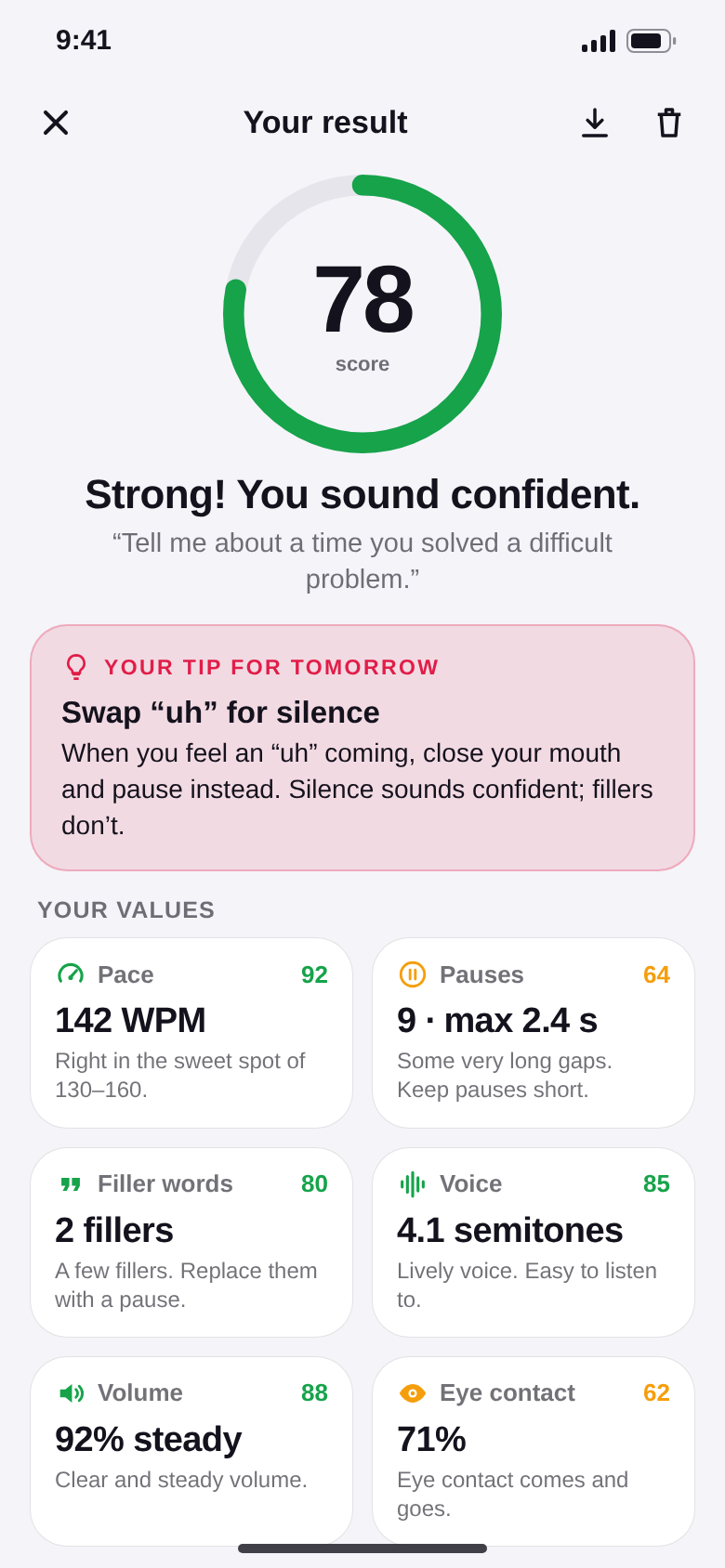
Get a topic, speak for 60 seconds, see your score. SpeakKit measures your pace, pauses, filler words, pitch, volume and eye contact – and gives you one concrete tip for tomorrow. All on your phone.


- No account
- Analysed on your phone
- Free daily exercise
Coming soon to Google Play.
Coming soon to the App Store.
You rehearse the slides.
Never your voice.
Most people only hear how they speak when it counts – in the interview, the meeting, on stage. SpeakKit gives you a daily rehearsal with honest numbers.
How it works
One topic. One minute. One tip.
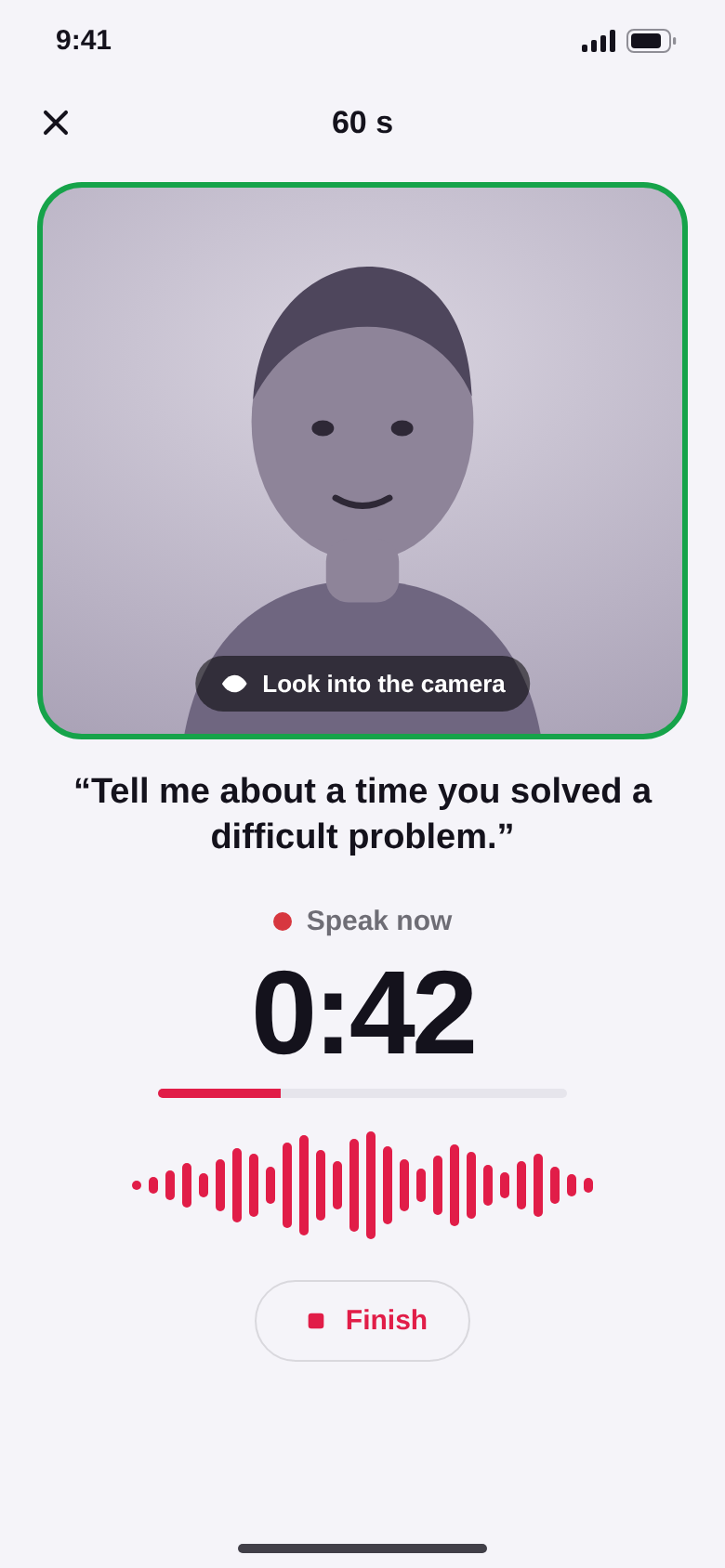
Every day SpeakKit gives you a topic that fits your goal. Ten seconds to think, sixty seconds to speak – then you see what your listeners would notice.
Not feeling today's topic? Roll a new one. A daily reminder keeps your streak going.
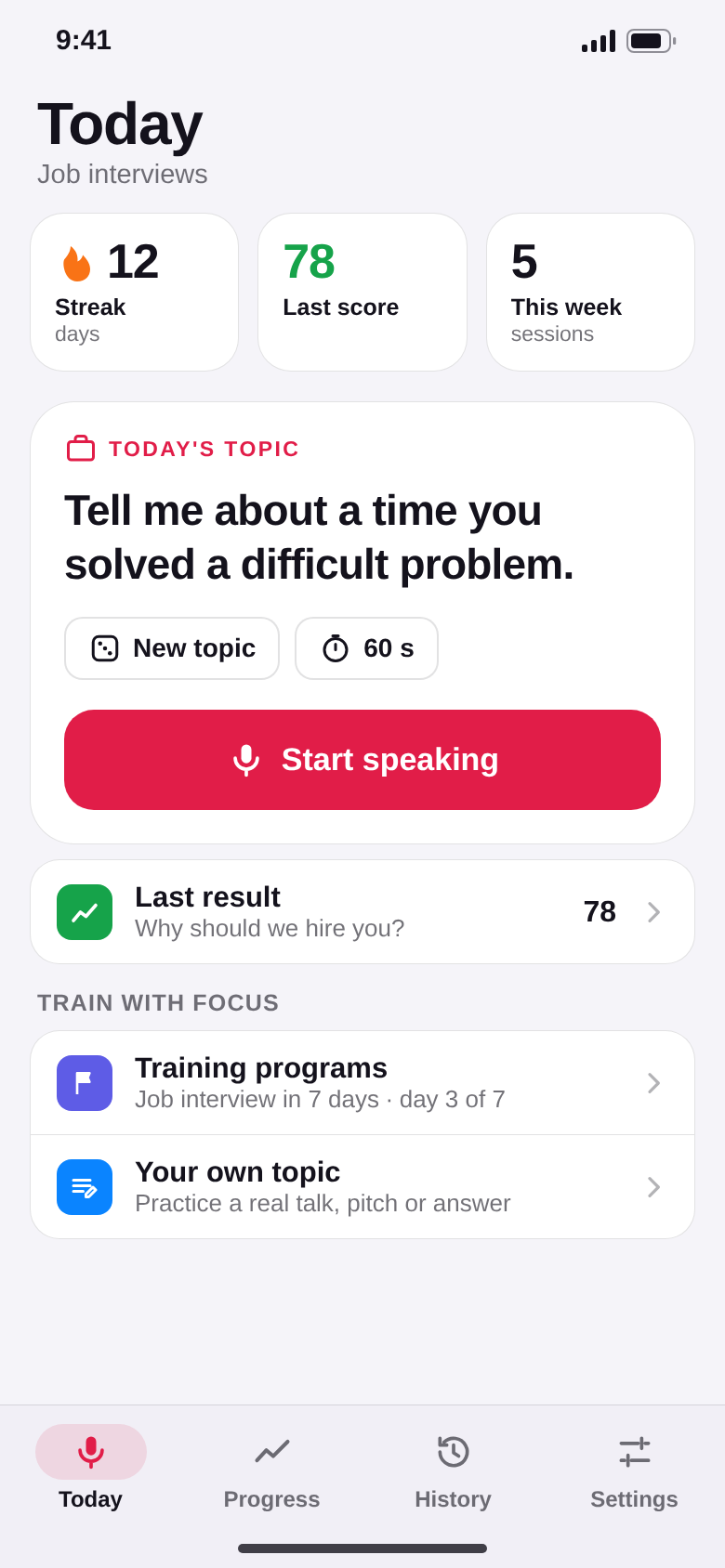
Six things your listeners notice.
Pace
Words per minute, estimated from your syllables. The comfortable zone is roughly 130 to 160.
Pauses
How many and how long. Good pauses let a point land – long breaks sound like losing the thread.
Filler words
“Um”, “uh”, “er” – recognised by their sound and counted per minute.
Voice
How much your pitch moves, in semitones. Monotone or lively – now you see it. Pro.
Volume
Loud enough and steady – including whether you fade at the end of a sentence. Pro.
Eye contact
With the front camera, SpeakKit sees how often you look at the lens. Optional, no video is recorded. Pro.
Progress
Better every week – in numbers.
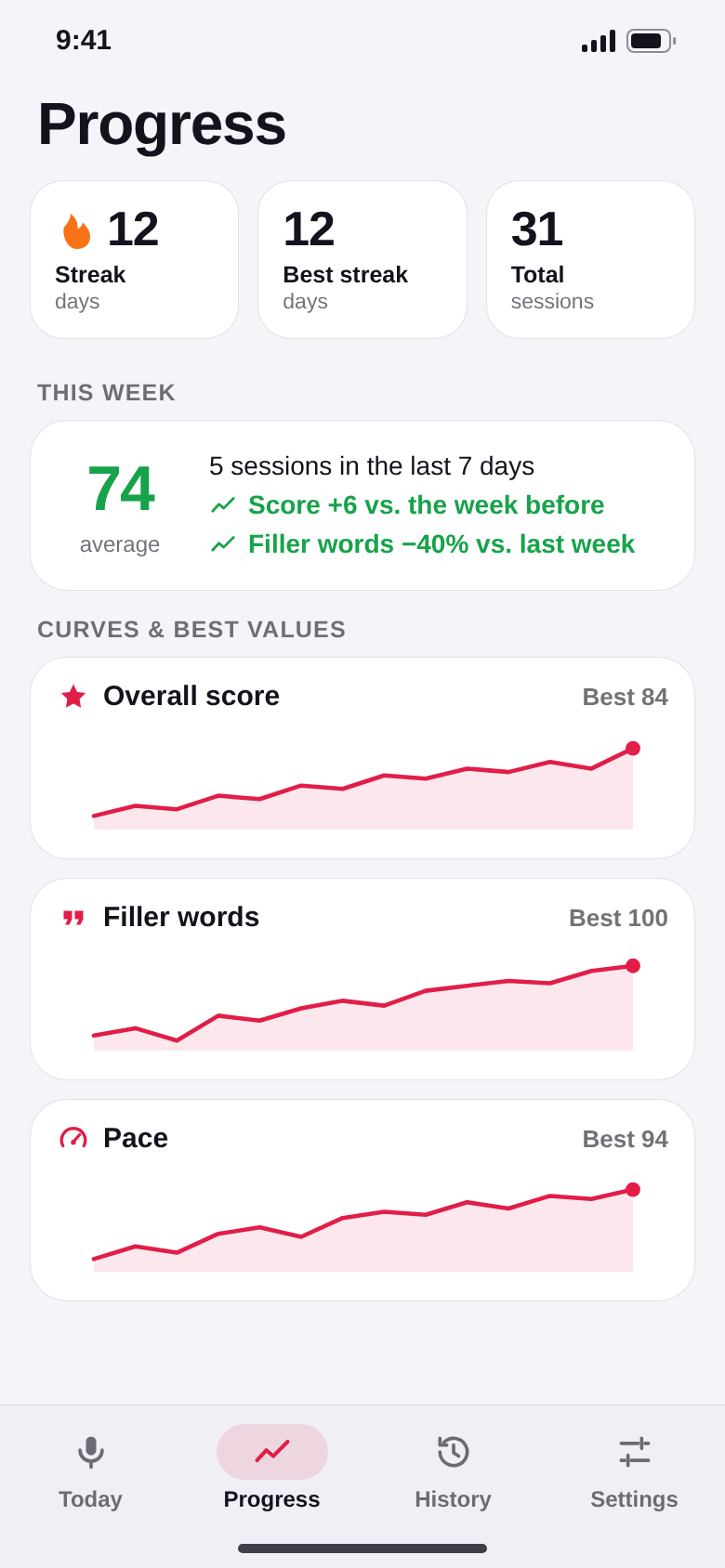
Curves for every measurement, your streak and personal bests. The weekly report shows what changed, for example “Filler words −40 % vs. last week”.
Proud of a result? Share your score card – only the image, never the recording.
Privacy
Your voice stays on your phone.
SpeakKit analyses your recording right on the device. No account, no cloud AI, no upload – your practice stays between you and your phone.
The camera is optional and only used for eye contact. No video is recorded.
The difference
Practice, not guesswork.
- Rehearsing in your headSpeaking out loud for 60 seconds, every day
- “Was that too fast?” – no ideaPace in words per minute, with a target zone
- Filler words you never noticeFiller words counted per minute
- Long feedback you never act onExactly one tip for tomorrow
- Coaching apps that upload your voiceAnalysis on your phone – nothing uploaded
For the moments that count.
Presentations
Rehearse your opening until it sits – with a steady pace and real pauses.
Job interviews
Answer typical questions out loud instead of in your head. Pro: interview plan in 7 days.
Meetings
Make your point in one minute – without rushing and without “um”.
Pitch and sales
Sound sure when it matters most. Pro: a training plan for your pitch.
Oral exams
Talk freely about a topic instead of reading from your notes.
Confidence
Hear yourself every day and watch your voice get calmer and clearer.
Quick questions.
Who is SpeakKit for?
What does SpeakKit cost?
How does SpeakKit make money?
Does my recording leave my phone?
How accurate are the measurements?
Does SpeakKit replace a coach?
Do I need the camera?
Which devices and languages are supported?

What will you say in your first minute?
Pick your goal, get a topic and press start. Your first score is about 70 seconds away.
Coming soon for Android and iPhone.